What Is a Markdown Editor, and Why You Actually Need One
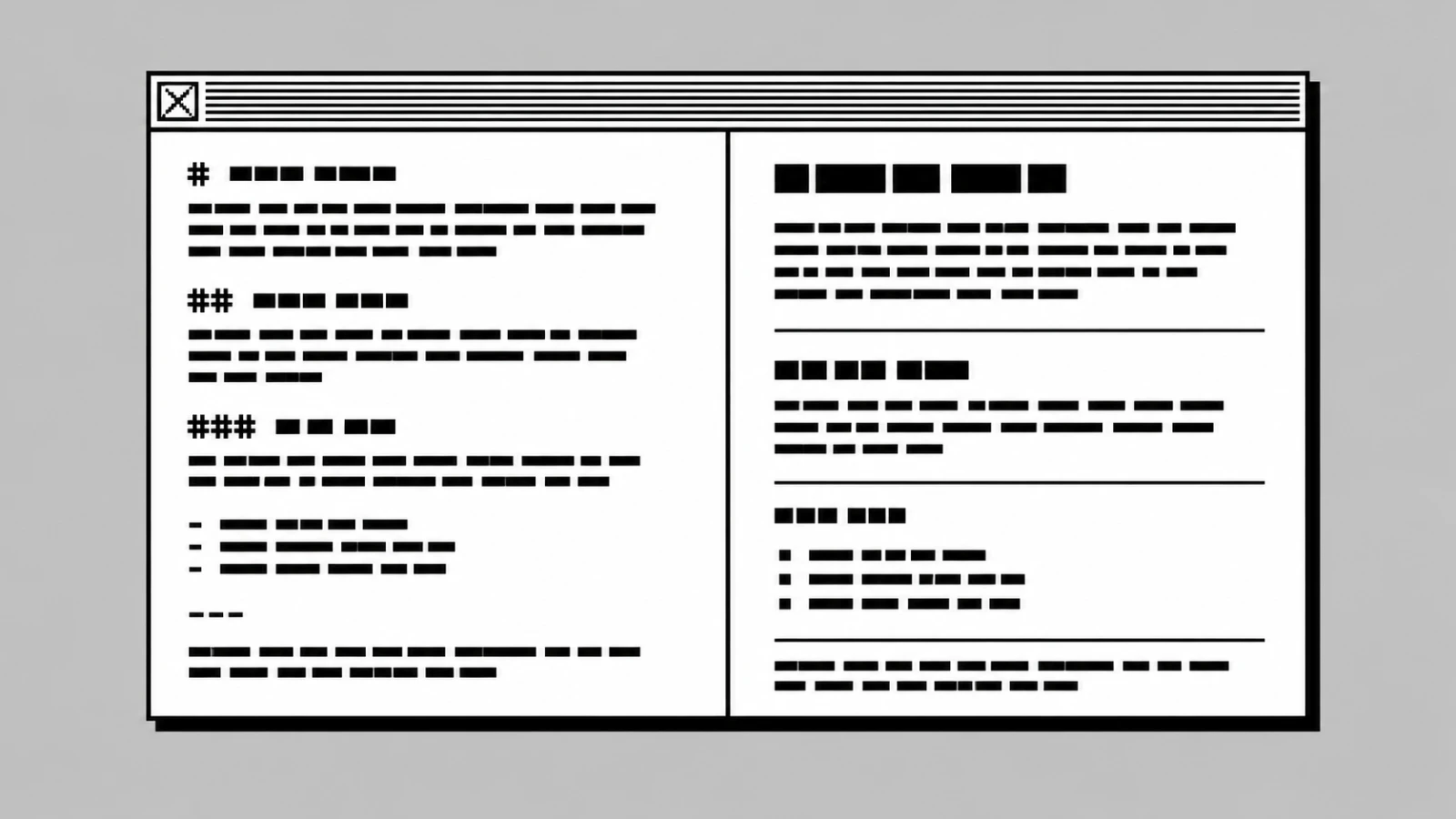
A Markdown editor is a writing app that lets you format text with small symbols like#and**, then shows you the finished page in real time — while keeping the file on disk as plain text you can open anywhere, forever.
- A Markdown editor turns simple symbols into formatted text —
#becomes a heading,**word**becomes bold. - The file saved on disk stays plain text, readable by any computer in any year.
- It splits the screen into two halves: the source you type, and a live preview of the result.
- You actually need one if you write often and want your work to survive the tools that made it.
What is a Markdown editor, in plain terms?
A Markdown editor is a writing app that uses Markdown — a small set of text symbols that stand in for formatting. You type # My Title to make a heading. You type **important** to make a word bold. You type [link text](https://example.com) to make a link. The editor reads these symbols and shows you the finished result, often in a second pane next to your source.
The file you save is just text. No hidden formatting. No proprietary container. No "please open me in this exact app."
That last part is the whole point. A Word file needs Word. A Notion page needs Notion. A Markdown file needs nothing — any text editor on Earth can open it. Your writing is no longer trapped inside the app you wrote it in.
This is why writers, researchers, developers, and journalists have been quietly switching to Markdown editors for the last decade. Not because Markdown is fancy. Because it is small, honest, and lasts.
How a Markdown editor actually works
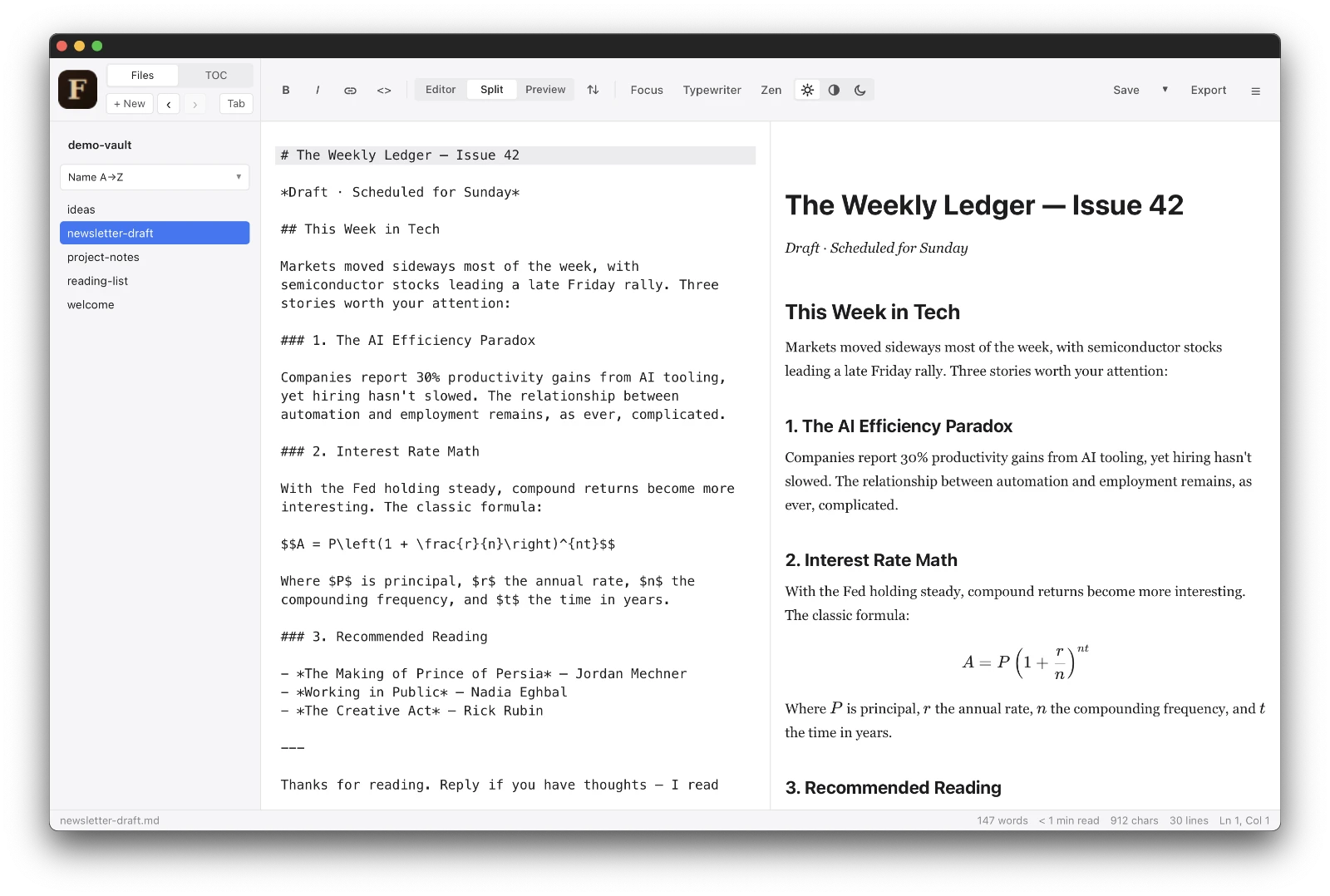
Most Markdown editors split the window into two panes side by side. On the left: your source — the plain text with the small symbols. On the right: the live preview — the same text rendered with real headings, bold, lists, and links.
You type, the preview updates. No "save and reload." No export step. The two panes scroll together as you work.
Behind the scenes, three things happen:
- Syntax highlighting colors the symbols in the source pane, so headings look bigger than body text and links look like links — even while you type.
- A Markdown parser reads your source and converts it to HTML for the preview. The original
.mdfile stays untouched. - Export options let you turn the same source into a PDF, an HTML page, or rich text for an email — usually with one click.
That is the entire model. There are no styles to pick. No font menus. No "track changes." Just text, symbols, and a preview.
The minimal feature set is exactly why Markdown editors feel fast. There is nothing to navigate. Your hands stay on the keyboard. Your eyes stay on the page.
Markdown editor vs. word processor — what changes for you
The clearest way to understand a Markdown editor is to compare it to what you already know.
| Feature | Word processor (Word, Pages, Google Docs) | Markdown editor |
|---|---|---|
| File format | Proprietary (.docx, .pages) | Plain text (.md) |
| Opens in 20 years? | Maybe, with conversion | Yes, in any text app |
| Formatting | Mouse, menus, toolbars | Symbols you type inline |
| Speed | Slower — you switch between keyboard and mouse | Faster — keyboard only |
| Learning curve | Familiar from school | About 10 minutes |
| Works offline? | Sometimes (Google Docs needs sync) | Always |
| Lock-in risk | High | None |
| Best for | Letters, resumes, complex layouts | Blog posts, notes, drafts, documentation, books |
A word processor is right when you need page-perfect layout — a printed contract, a poster, a wedding invitation. A Markdown editor is right when the words matter more than the layout, and when you want the file to outlive the software.
For most writing — emails, blog drafts, meeting notes, research, journals, newsletters, technical docs — the words are what matter.
Who actually needs a Markdown editor?
Not everyone. But more people than realize it.
You probably need one if you:
- Write more than three times a week and feel slowed down by formatting menus.
- Care about keeping your writing beyond the next app you happen to use.
- Work offline often — on planes, in cafes, on trains, anywhere without good Wi-Fi.
- Worry about cloud lock-in and want your files on your own disk.
- Publish to the web — most blog platforms, static site generators, and documentation tools accept Markdown directly.
- Take notes that you want to search, link, and reorganize over years.
You probably do not need one if your writing is mostly inside email, chat, or short forms — those tools already handle their own formatting fine.
Frequently asked questions
Is a Markdown editor the same as a text editor?
No. A text editor like TextEdit or Notepad shows you only the raw symbols — you type **bold** and you see **bold**. A Markdown editor adds syntax highlighting, a live preview pane, and one-click export to PDF or HTML. The file on disk is the same plain text in both cases, but the editor gives you visual feedback while you write.
Do I need to learn code to use a Markdown editor?
No. Markdown was designed in 2004 by John Gruber, a writer, for non-programmers. The full syntax fits on one cheat sheet and takes about 10 minutes to learn. You type # Title for a heading, **word** for bold, - item for a bullet — that covers most writing. No HTML, no CSS, no programming.
What is the best free Markdown editor for Mac?
The best free Markdown editor for Mac depends on what you need. If you want a simple, offline, no-account option that opens plain .md files, Farium fits that brief and is free. Other strong free choices include MacDown, Typora's older versions, and the free tier of Obsidian — each with a different focus on simplicity, notes, or knowledge graphs.
Can a Markdown editor replace Microsoft Word?
For most writing, yes. A Markdown editor handles headings, lists, links, images, tables, quotes, code, and footnotes — everything you need for blog posts, notes, drafts, articles, and documentation. It cannot replace Word for page-perfect layouts like resumes, posters, or printed contracts. But for the writing most people actually do day to day, a Markdown editor is faster and safer.
Does a Markdown editor work for long documents like books?
Yes. Many authors write entire books in Markdown editors, then convert the .md files to PDF, EPUB, or print formats using free tools like Pandoc. Plain text scales well — a 500-page book is still a single small file, easy to search, edit, and back up. The format that works for a short note works for a novel.
What this means for you
If you write regularly and the thought of "where will this file be in 10 years" has ever crossed your mind, a Markdown editor is worth one afternoon of trying. The whole syntax fits on a postcard, and the habit pays off for the rest of your writing life.
Farium is one free, offline option built around exactly this idea. If you want the longer version of the "why," the plain-English guide to using a Markdown editor covers it from a different angle.